Get started
940 commitsLast commit ≈ 1 month ago92 stars16 forks
An interactive dashboard for visualisation, integration and classification of data using Active Learning.

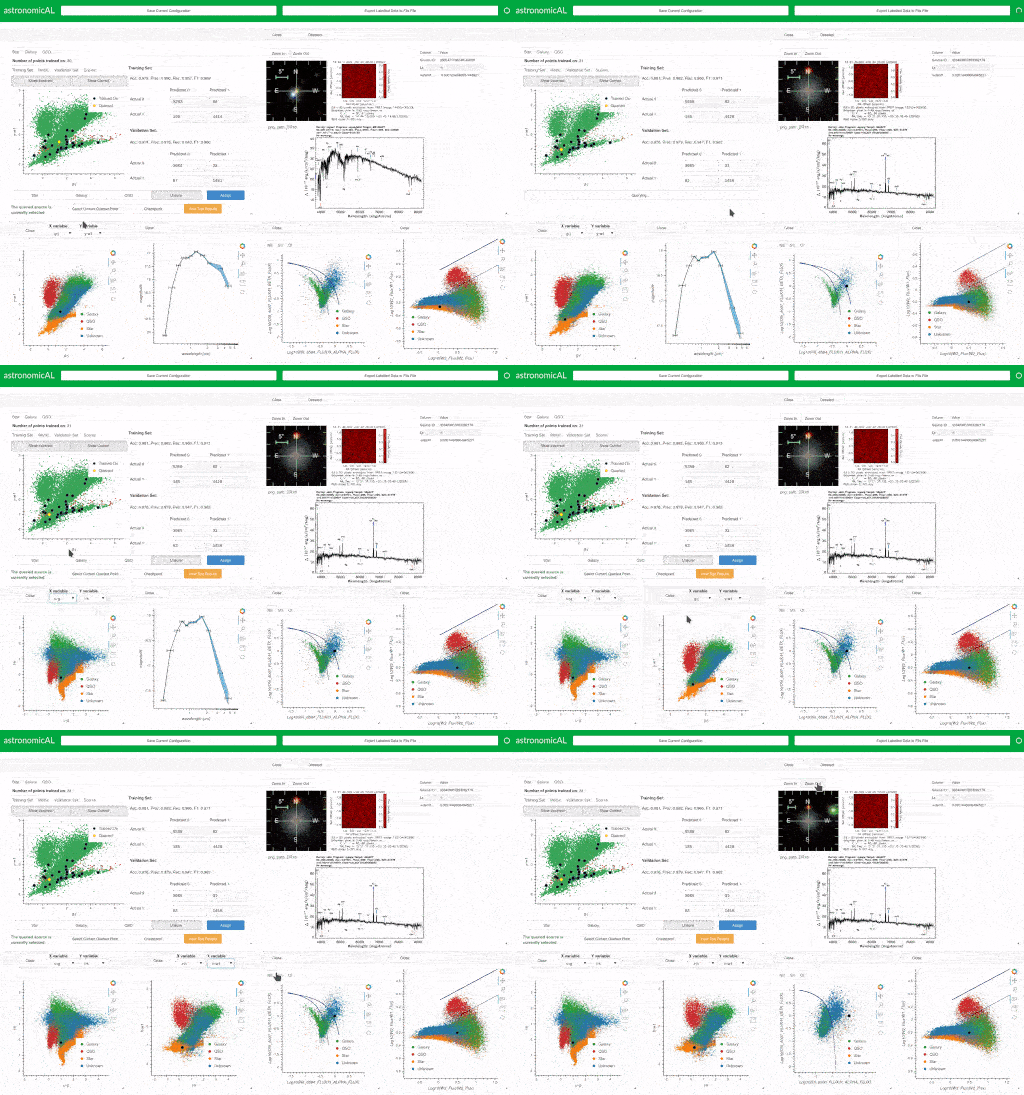
AstronomicAL is a local, human-in-the-loop workspace that brings data exploration, domain-specific inspection, annotation, and machine learning together in a single interactive application.
Rather than prescribing one fixed workflow, AstronomicAL is built around plugins. Users can combine general-purpose tools with domain-specific capabilities to create a workspace around the problem they are trying to solve. This can include plugins from astronomical source inspection to image classification and active learning.
AstronomicAL was originally developed for active learning with large astronomical catalogues. The same underlying challenges appear far beyond astronomy: datasets can be too large to inspect manually, reliable labels can be expensive to obtain, difficult examples require expert judgement, and useful decisions often depend on information spread across several different tools or data sources.
The current version of AstronomicAL keeps those original human-in-the-loop and active-learning goals while generalising the application into an extensible platform. Astronomy remains a first-class use case, but it is now provided through the same plugin system that can support other scientific and data-intensive domains.
AstronomicAL provides a shared interactive workspace in which plugins can work together around the same dataset and selection state. Depending on the plugins installed, a workflow can combine catalogue data, plots, images, spectra, annotations, external services, derived products, and machine-learning models without requiring every capability to be built into the core application.
Current functionality includes:
The result is intended to feel less like a collection of disconnected scripts and more like a research workspace: selecting or updating an object in one part of AstronomicAL can immediately provide the context required by the other tools in the workflow.
Earlier versions of AstronomicAL included most functionality directly in the main application. This worked well for the original astronomy and active-learning workflows, but it also meant that adding a new domain, service, visualisation, or workflow increased the size and complexity of the core application for every user.
AstronomicAL is now organised around a deliberately small platform and a collection of plugins.
The platform provides the common infrastructure required by interactive workflows: datasets, selections, background jobs, derived artifacts, events, services, workspace management, and persistence. Plugins provide the behaviour users interact with.
A plugin can contribute panels, actions, services, artifact viewers, workflows, importers, or domain-specific integrations. This makes it possible to keep the base application generic while installing only the capabilities needed for a particular project.
In practice, this means the same AstronomicAL installation can support very different tasks. An astronomer might combine catalogue browsing with spectroscopy and photometry plugins; another user might import an image dataset, inspect examples, and build a classifier; a project can also add its own local plugin without modifying the platform itself.
Core functionality is implemented using the same plugin model so that the extension mechanism is not reserved only for third-party code. The aim is for new features to integrate through shared platform contracts rather than through direct coupling between panels.
Instructions for creating and publishing a plugin can be found with our !
Our is where the catalogue of external plugins is housed. The builtin plugin manager which allows you to search, install and enable custom plugins reads from this catalogue.
Modern scientific datasets are increasingly large, heterogeneous, and difficult to inspect exhaustively. At the same time, supervised machine-learning systems depend heavily on the quality of the data used to train them. Missing labels, inconsistent classifications, rare classes, ambiguous examples, and incorrect ground truth can all limit model performance.
Active learning provides one way to reduce this burden by asking an expert to label the examples expected to be most informative to the model. This can dramatically reduce the amount of manual labelling required, but the usefulness of the process depends on the expert having enough context to make a reliable decision.
That need for context motivated AstronomicAL from the beginning. A catalogue row alone is often not enough: an astronomer may need images, spectra, colours, existing classifications, external archive information, and neighbouring sources before deciding what an object is. Equivalent problems occur in many other domains where human judgement remains essential.
AstronomicAL brings those pieces into one coordinated workspace. The plugin system extends that original idea by allowing the inspection tools to change with the domain while the underlying workflow — explore, inspect, select, annotate, model, review, and repeat — remains reusable.
The application runs locally, allowing users to keep control of their datasets while integrating remote services only where a workflow requires them.
AstronomicAL is currently under active development. For the latest development version, clone the repository and install it inside an isolated Python environment.
Clone the repository and enter the project directory:
git clone https://github.com/grant-m-s/AstronomicAL.git
cd AstronomicAL
Create and activate a virtual environment:
python -m venv venv
source venv/bin/activate
Using Conda is also supported:
conda create -n astronomical python
conda activate astronomical
Install the core dependencies:
pip install -r requirements-core.txt
Additional requirement sets are available for specific functionality:
requirements-astro.txtrequirements-huggingface.txtrequirements-ml.txtrequirements-dev.txtInstall any additional set as required:
pip install -r requirements-astro.txt
Or install all available dependencies at once:
pip install -r requirements-all.txt
Using an isolated environment is strongly recommended so that AstronomicAL and its plugin dependencies remain separate from other Python projects on the system.
Start the application with:
panel serve astronomicAL --show
Panel should open AstronomicAL automatically in your browser. If it does not, open the local address printed in the terminal.
Once running, datasets can be loaded into the workspace and additional capabilities can be opened from the available plugins. Plugins may define their own requirements, mappings, services, or optional Python dependencies depending on the workflow they provide.
AstronomicAL includes example datasets and saved workspace layouts so you can explore the main workflows without building a workspace from scratch.
EDFN_example_data.fits and try photometry_layout.json or spectroscopy_layout.json to explore linked SEDs, Euclid imaging, colour/magnitude plots, and DESI/Euclid spectra. The accompanying EDFN_photometric_bands.json provides the SED filter definitions.zoobot_subset.fits with morphology_layout.json to explore linked scatter plots, image galleries, Aladin Lite, annotations, and morphology predictions.Layouts store panel arrangement, settings, and mappings, but not the dataset itself, so load the corresponding FITS file separately before or after opening a layout.
Contributions, bug reports, feature ideas, documentation improvements, and new plugins are welcome.
If you encounter a problem, open an issue and include enough information to reproduce it. Useful details include the steps taken, expected and actual behaviour, relevant logs or tracebacks, the dataset format where appropriate, and the plugins involved in the workflow.
Pull requests can improve the platform itself, migrate existing functionality into the plugin architecture, add tests and documentation, or introduce new generic, workflow, and domain plugins.
When contributing a plugin, it should use the shared AstronomicAL platform services rather than relying on direct communication with another panel. This keeps plugins independently installable, removable, testable, and reusable in different workspace combinations.
If AstronomicAL supports your research, please cite the project and the original software paper. Citation information is available in the project documentation and repository citation metadata.
AstronomicAL was originally developed and validated using astronomical datasets, and the original publication describes the motivation and active-learning workflow that formed the basis of the project. The plugin-based platform builds on that work while making the same interactive, human-in-the-loop approach available to a broader range of workflows and domains.